
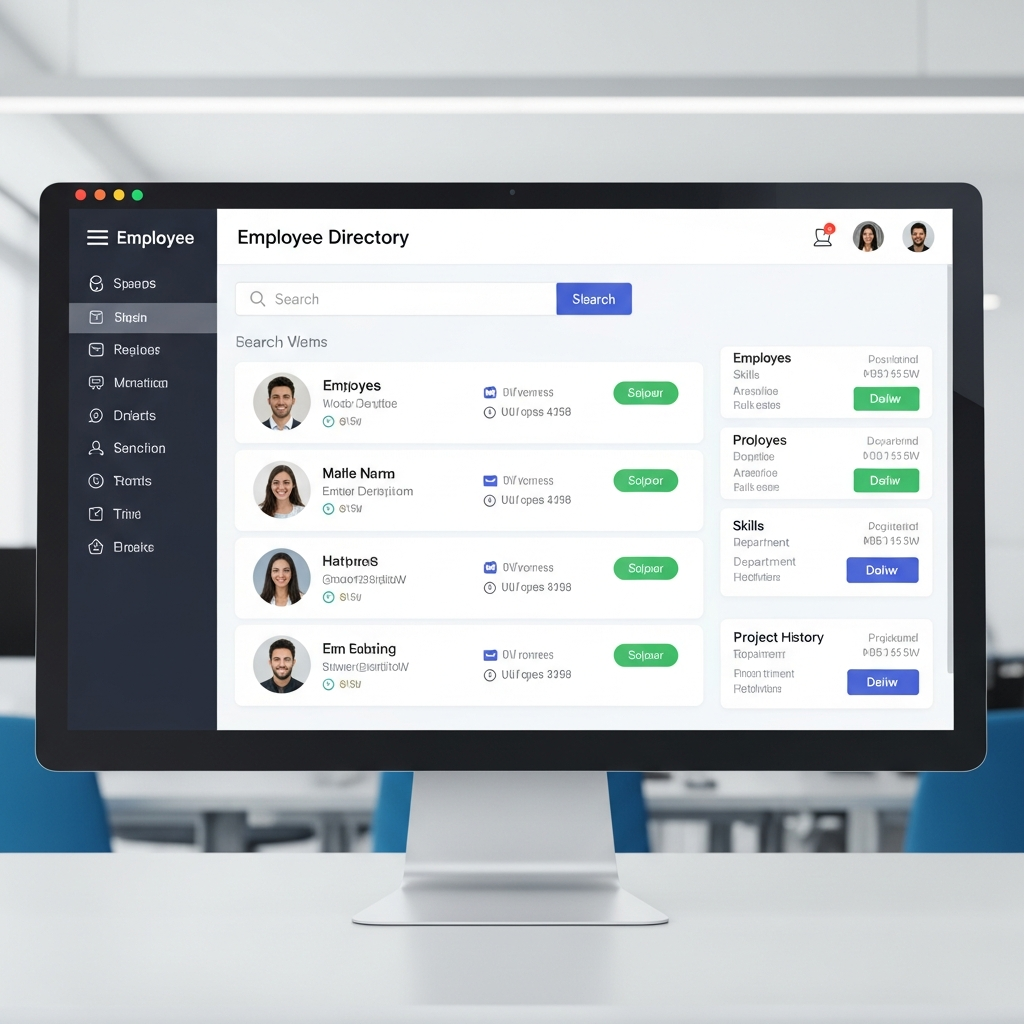
In a workplace where teams are spread across offices, homes, time zones, and departments, finding the right person quickly can make a huge difference. Employee directory software gives organizations a central place to store and search employee information, from job titles and departments to skills, reporting lines, contact details, office locations, and profile photos.
At first glance, it may sound like a simple digital address book. In reality, a well-built employee directory can become a powerful workplace connection tool. It helps new hires understand who does what, gives managers visibility into team structures, supports cross-functional collaboration, and reduces the awkward “Who should I ask?” moments that slow work down.
This matters more than ever. Gallup’s 2026 workplace reporting found that only 20% of employees worldwide were engaged at work in 2025, while low engagement carried a major global productivity cost. Tools alone cannot fix engagement, of course, but better visibility, communication, and connection can support a healthier employee experience. (Gallup.com)
Employee Directory Software
Employee Directory Software is a digital system that helps employees find, understand, and connect with people across an organization. Instead of relying on scattered spreadsheets, outdated intranet pages, or memory, employees can search a centralized directory by name, role, department, location, manager, expertise, project, or team.
The biggest value is clarity. In many companies, especially fast-growing ones, people often know their immediate coworkers but struggle to identify colleagues in other departments. Sales may not know who owns customer onboarding. Marketing may not know which product manager handles a specific feature. A new engineer may not know who leads security reviews. A strong directory solves that problem by making the organization easier to navigate.
Modern directories often go beyond contact information. They may include profile photos, pronouns, time zones, languages, certifications, work anniversaries, reporting relationships, skills, interests, and collaboration preferences. Some also include visual org charts, Slack or Microsoft Teams integrations, HRIS syncing, and single sign-on. In hybrid and remote environments, these features help recreate some of the context people used to get naturally from office conversations.
For HR teams, the directory supports onboarding, internal mobility, employee engagement, and culture-building. For IT teams, it reduces manual access and identity headaches when connected to identity providers and HR systems. For employees, it saves time and removes friction.
The key point is this: a directory is not just a list of names. It is a map of the company. When designed well, it helps people understand not only who works at the organization, but how work actually gets done.
Why it matters for growing teams
As organizations grow, informal knowledge starts to break down. In a 20-person company, everyone may know everyone else. In a 200-person company, that becomes harder. In a 2,000-person company, it becomes nearly impossible without a system.
That is where a searchable people directory earns its keep. It gives employees a reliable source of truth. Rather than sending multiple messages to find the right person, an employee can search by function, title, skill, or department and reach out directly. This cuts down on delays, duplicate work, and confusion.
Microsoft’s 2025 Work Trend Index describes modern work as increasingly stretched by complex demands, with organizations exploring new ways to combine people, AI, and digital systems to improve how work gets done. A clear employee directory fits into that broader shift because it helps people find knowledge and relationships faster. (Source)
Core Features That Make a Directory Useful
A useful employee directory needs more than a clean interface. It should be accurate, searchable, secure, and easy to maintain. The best platforms usually include detailed employee profiles, advanced search filters, visual org charts, integrations with existing HR systems, and privacy controls.
Search is the heart of the system. Employees should be able to find people even when they do not know the exact name. For example, someone might search for “payroll,” “customer success,” “Spanish speaker,” “data privacy,” or “Chicago office.” This makes the directory practical, not just decorative.
Employee profiles should include the basics: name, job title, department, manager, location, email, phone number, and profile photo. But richer profiles are often more helpful. Skills, project experience, certifications, languages, and areas of responsibility can turn the directory into a knowledge-finding tool. That is especially valuable in companies where expertise is spread across teams.
Org charts are another important feature. A visual reporting structure helps employees understand how teams connect. New hires can quickly see who reports to whom, who leads each function, and where their own role fits into the bigger picture. Managers can use org charts for workforce planning, succession discussions, and team design.
Integrations matter too. A directory that syncs with HRIS, payroll, identity management, communication tools, and calendar platforms is far easier to keep updated. Without integrations, HR teams may have to manually update job titles, departments, reporting lines, and employee status. Manual updates can quickly become messy.
Security should be built in from the beginning. The directory may contain personal and organizational information, so companies need controls around who can see what. The Federal Trade Commission advises businesses to protect personal information by limiting access and using sensible security practices. (Federal Trade Commission)
Searchable employee profiles
Searchable profiles make a directory genuinely useful. A static list of employees may help someone find an email address, but searchable profiles help employees find the right person for the right reason.
For example, a customer support agent handling a technical issue may search for a product expert. A recruiter may look for employees who speak a certain language to support an interview process. A project manager may search for people with experience in a specific market. A new hire may look up teammates before joining a meeting.
This kind of visibility improves collaboration because it reduces guesswork. People can connect based on skills, responsibilities, and context instead of relying only on personal networks. That can also support inclusion. Employees who are newer, remote, introverted, or outside headquarters gain a more equal way to discover and be discovered.
Org charts, departments, and skills
Org charts help employees understand structure, but skills data helps them understand capability. Together, they answer two different questions: “Where does this person sit?” and “What does this person know?”
A good directory should make both answers easy to find. Department pages can show team members, leaders, functions, and responsibilities. Skill tags can highlight expertise that may not be obvious from a job title. For instance, an operations manager may have deep experience in vendor negotiations, process automation, or compliance. Without a directory, that knowledge may stay hidden.
This is where directories can support internal mobility. When employees can see roles, teams, and expertise across the company, they gain a clearer picture of future opportunities. HR can also identify talent for projects, mentorship, and succession planning.
Business Benefits for HR, IT, and Employees
The business case for a strong employee directory is simple: people waste less time finding people. That benefit touches almost every part of the organization.
For HR, the directory supports onboarding and employee experience. New hires can learn names, roles, teams, and reporting lines before they fully understand the company’s structure. This helps them feel less lost during their first weeks. HR can also use the directory to reinforce culture by including employee milestones, team pages, location information, and internal communities.
For managers, a directory improves visibility. They can understand team composition, reporting relationships, and cross-functional connections more easily. In larger companies, managers may need to coordinate with departments they rarely interact with. A reliable directory makes those connections smoother. 9 Powerful Ways Landscaping Invoice Software Helps Contractors
For employees, the benefit is everyday convenience. They can find coworkers, check time zones, understand responsibilities, and reach the right person without asking around. That saves time and helps work move forward.
For IT, integrated directories can support identity and access management. When an employee joins, changes roles, or leaves, connected systems can help keep records accurate. This is especially important during offboarding, when companies need to make sure former employees no longer have access to internal systems. Recent security guidance continues to emphasize role-based access, login protections, and regular access review as important safeguards for employee information. (Pearlman, Brown & Wax)
The broader cultural benefit is connection. A directory cannot replace good leadership or healthy communication habits, but it can remove barriers. When people know who exists, what they do, and how to contact them, collaboration becomes easier.
Faster communication
Poor communication often starts with a simple problem: employees do not know whom to contact. A searchable directory shortens that path.
Instead of sending a message to a manager, waiting for a referral, and then following up with another person, employees can search directly. This is especially helpful for urgent questions, customer issues, compliance reviews, technical blockers, and cross-team approvals.
Faster communication also reduces meeting overload. When employees can identify the right person, they are less likely to invite too many people “just in case.” That keeps conversations focused and respects everyone’s time.
Better onboarding and collaboration
Onboarding is one of the strongest use cases for a directory. New employees need context quickly: who their teammates are, who leads each department, who approves requests, and who can answer specific questions.
A directory gives them a safe place to explore. They can review profiles before meetings, learn names faster, and understand how their role connects to the wider company. For remote employees, this is especially valuable because they may not have casual office interactions to help them build familiarity.
Collaboration also improves when employees can find expertise outside their immediate circle. This encourages knowledge-sharing and reduces silos. Over time, the directory becomes part of how the company learns about itself.
Choosing the Right Platform
Choosing the right platform starts with understanding your company’s needs. A small company may only need a clean searchable directory with basic profiles and an org chart. A larger enterprise may need advanced permissions, HRIS integrations, multi-location support, custom fields, compliance controls, and analytics.
Start with data sources. Where does employee information currently live? Common sources include HR software, payroll systems, identity providers, spreadsheets, and communication platforms. The best employee directory software should sync with those systems so information stays accurate without constant manual updates.
Next, evaluate usability. Employees will only use the directory if it is easy. Search should be fast. Profiles should be readable. Org charts should be clear. Mobile access may matter for frontline, field, or distributed teams. The platform should feel useful on day one.
Security and privacy deserve special attention. Not every employee needs access to every piece of information. For example, work email and department may be visible to everyone, while personal phone numbers, home addresses, compensation data, or sensitive HR details should be restricted or excluded. Companies should define privacy rules before launching the platform.
Integrations are another major factor. A directory that connects with tools like Microsoft Teams, Slack, Google Workspace, Okta, Workday, BambooHR, or similar systems can become part of the daily workflow. Without integrations, employees may forget the directory exists.
Finally, consider scalability. The tool should support your organization not only today but also as you add employees, locations, departments, and systems. A directory that works for 100 people may not work for 5,000 unless it has strong filtering, permissions, and automation.
Security, privacy, and integrations
Employee directories contain sensitive organizational data, so privacy by design is essential. That means companies should decide what information is necessary, who can view it, how it is updated, and how long it is retained.
Role-based access is often the practical approach. Employees may see general profile details, managers may see team-specific information, and HR may have administrative permissions. Two-factor authentication, single sign-on, audit logs, and regular access reviews can add further protection.
The FTC’s business guidance on protecting personal information recommends controlling access to sensitive data and using appropriate safeguards. That principle applies directly to directory planning. (Federal Trade Commission)
Integrations also improve security because they reduce duplicate data entry. When the directory pulls information from approved systems, companies are less likely to have conflicting records floating around in spreadsheets.
Ease of use and scalability employee directory software
The best directory is the one employees actually use. A platform may have impressive features, but if search is clunky or profiles look outdated, adoption will suffer.
Look for a system that supports clean navigation, fast search, simple editing workflows, and clear profile layouts. Employees should be able to update approved fields easily, while HR or IT maintains control over official fields like job title, department, and manager.
Scalability matters because directories become more valuable as companies grow. The larger the organization, the more important it is to have accurate filters, team pages, location views, and org charts.
Implementation Best Practices employee directory software
Rolling out a directory is not just a software project. It is a people, data, and communication project.
Start by cleaning the data. Before launch, review employee names, titles, departments, managers, locations, and contact details. Inaccurate information weakens trust immediately. If employees find outdated profiles, they may stop using the directory.
Next, define ownership. HR may own people data, IT may own integrations and access, communications may own profile guidelines, and managers may help validate team structures. Without clear ownership, the directory can become stale.
Set profile standards. Decide which fields are required, optional, hidden, or employee-editable. For example, official job titles may come from HR, while employees may add skills, interests, languages, or preferred working hours. This balance keeps the directory both accurate and human.
Communicate the purpose clearly. Employees should understand that the directory is there to help them connect, collaborate, and navigate the company, not to monitor them. Trust matters. Be transparent about what data is included and who can see it.
Encourage adoption through everyday workflows. Link the directory in onboarding materials, intranet pages, team communication channels, and manager toolkits. Ask leaders to complete their own profiles first. When employees see leadership using the tool, they are more likely to follow.
Finally, review and improve. Track usage, collect feedback, and update fields as the organization changes. A directory should evolve with the company.
Data accuracy and ownership employee directory software
Accuracy is the foundation of success. Even a beautiful directory fails if employees cannot trust the information.
The best way to maintain accuracy is through system integrations and clear governance. HR systems should remain the source of truth for official employee data. Employees can update personal profile elements, but core employment details should sync automatically when possible.
Ownership should be documented. HR, IT, and internal communications should know their responsibilities. Managers should periodically review team structures. Employees should know how to request corrections.
Adoption, training, and long-term success employee directory software
Adoption improves when the directory solves real problems. Instead of launching it as “another HR tool,” position it as a faster way to find people, understand teams, and get work done.
Training does not need to be complicated. A short launch message, a few examples, and onboarding inclusion may be enough. Show employees how to search by skill, find an org chart, update their profile, and contact a coworker.
Long-term success depends on freshness. Keep the directory visible, useful, and accurate. Add it to onboarding checklists. Review data regularly. Invite feedback. Over time, the directory can become one of the most trusted tools in the workplace.
Conclusion employee directory software
A modern employee directory is much more than a company contact list. It is a practical tool for connection, communication, onboarding, collaboration, and organizational clarity. When employees can quickly find the right person, understand team structures, and discover internal expertise, work becomes smoother and less frustrating.
The strongest results come from combining good software with thoughtful implementation. Keep the data accurate. Protect employee privacy. Integrate with existing systems. Make profiles useful. Encourage leaders and employees to use the directory as part of daily work.
For growing, hybrid, and fast-moving organizations, employee directory software can become a quiet but powerful advantage: a simple way to help people find one another, work together, and feel more connected to the company they help build.

