
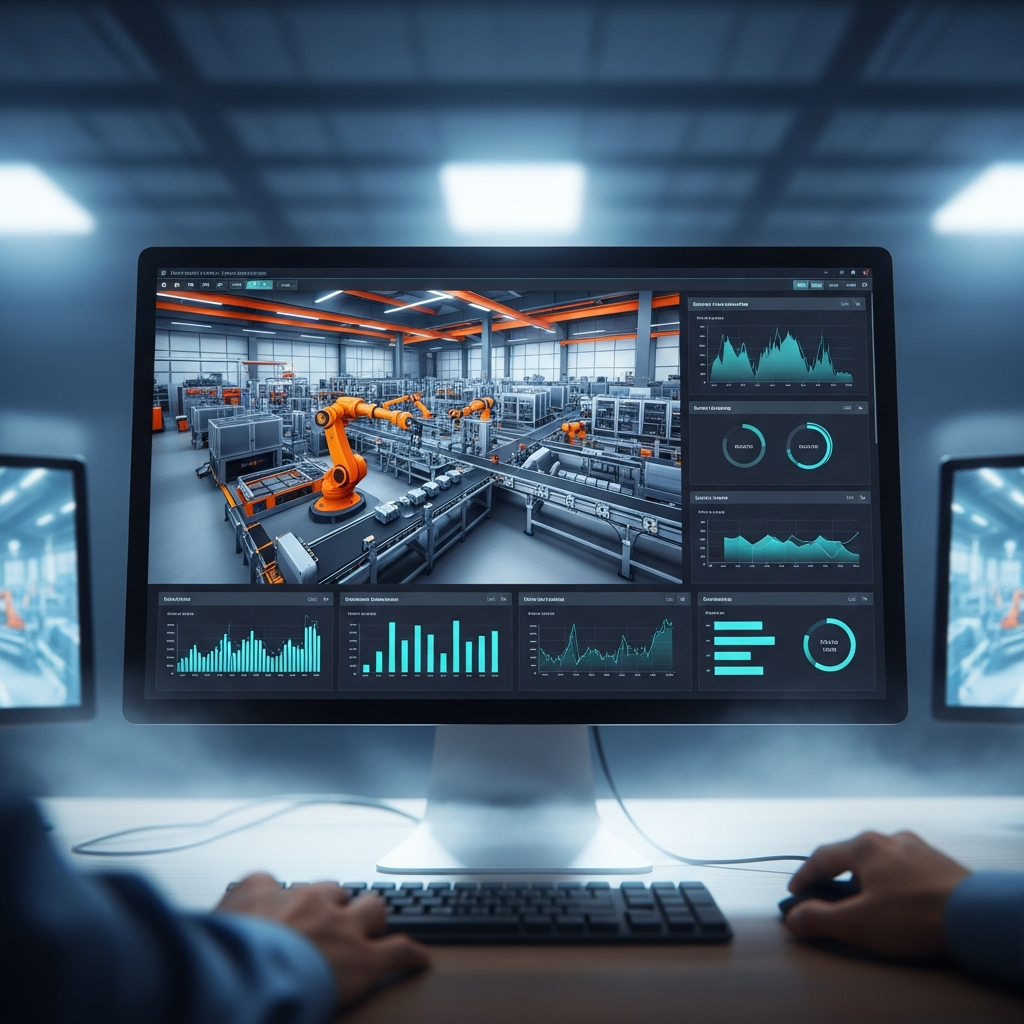
manufacturing simulation software helps companies create digital models of factories, production lines, equipment, workers, material flow, logistics, and operating processes before making costly real-world changes. Instead of guessing how a new layout, machine, shift pattern, or automation system will perform, manufacturers can test scenarios virtually and make decisions with better evidence.
Siemens describes manufacturing simulation as the use of computer models to digitally test manufacturing methods and procedures, helping reduce the time and cost of physical testing. It is commonly used to design and validate production methods before implementation. (Siemens)
That matters because modern factories are complicated. A single production line may include machines, operators, robots, conveyors, buffers, forklifts, inspection stations, packaging areas, maintenance schedules, and supplier constraints. When one part of the system slows down, the whole operation can suffer. A simulation model gives teams a safe place to test how these moving pieces interact.
The goal is not just to create a pretty 3D factory model. The real value is decision-making. Manufacturers use simulation to answer practical questions: Where are the bottlenecks? Can the line meet demand? Do we need more workers? Will automation improve throughput? How much buffer space is enough? What happens if a machine breaks down? Can we reduce waiting time, travel distance, energy use, or overtime?
A good simulation project can support lean manufacturing, production planning, capacity analysis, digital twins, warehouse optimization, robotic automation, and continuous improvement. It gives engineers, operations managers, planners, and executives a common view of how the system behaves.
In plain English, simulation helps manufacturers test ideas before touching the real shop floor. That makes it one of the most practical tools for improving productivity while reducing risk.
How Manufacturing Simulation Software Improves Production Planning
Production planning is one of the hardest jobs in manufacturing because every decision affects something else. Increasing output may require more labor. Adding a machine may create a new bottleneck downstream. Reducing inventory may expose supply delays. Changing the schedule may improve one product line but hurt another. Simulation helps planners see these trade-offs before they become expensive problems.
A simulation model can represent production orders, cycle times, changeovers, machine availability, staffing levels, material movement, quality checks, and delivery targets. Once the model is built, teams can run different scenarios to understand how the factory may perform under changing conditions.
For example, a manufacturer may want to know whether a plant can handle a 20% increase in demand. Instead of relying only on spreadsheets, the team can simulate the current process and test what happens when order volume rises. The model may show that one machine becomes overloaded, a packing area needs more workers, or a material handling route creates delays during peak hours.
This is especially useful because factories are dynamic systems. Real production does not move in a perfect straight line. Machines fail. Workers take breaks. Materials arrive late. Quality issues cause rework. Orders change. Simulation can include variability, which makes the results more realistic than static planning alone.
Siemens Plant Simulation, for example, is positioned for discrete-event simulation and throughput optimization, helping manufacturers analyze and optimize material flow, resource utilization, logistics, and production systems. (Siemens)
Better planning also supports better communication. When a planner shows a simulation animation, chart, or KPI report, it becomes easier for managers and teams to understand the impact of a proposed change. Instead of arguing from opinion, everyone can look at the same modeled evidence.
Manufacturers can use this information to improve schedules, set realistic delivery dates, plan capacity, and prepare for demand changes. That is a huge advantage in industries where late orders, overtime, and downtime can quickly eat into profit.
Why Factory Simulation Reduces Bottlenecks and Waste
Bottlenecks are one of the biggest enemies of factory performance. A bottleneck is the point in a process that limits overall output. It may be a slow machine, a busy inspection station, a manual packing step, a short-staffed department, or even a congested forklift route. The tricky part is that bottlenecks are not always obvious.
A production manager may assume the most expensive machine is the constraint, but the real delay may be caused by missing materials, long changeovers, poor layout, or waiting time between operations. Simulation helps reveal these hidden problems by showing how work actually flows through the system over time.
When a simulation model runs, teams can measure queue lengths, waiting times, machine utilization, operator workload, throughput, lead time, and work-in-progress inventory. These metrics help identify where production slows down and why. Once the problem is visible, the team can test possible fixes.
For example, a factory may test whether adding another operator improves output. The simulation may show that labor is not the issue; the real problem is an overloaded conveyor or an inspection station with limited capacity. In that case, hiring more people would add cost without solving the problem. That kind of insight can save a lot of money.
Waste reduction is another major benefit. Lean manufacturing focuses on reducing waste such as waiting, excess movement, overproduction, defects, unnecessary inventory, and inefficient processing. Simulation supports this by helping teams test process improvements before making physical changes.
A model can show whether a new layout reduces walking distance, whether smaller batch sizes improve flow, or whether different buffer sizes reduce idle time. The team can compare scenarios and choose the option that delivers the strongest operational improvement.
In many cases, simulation prevents well-intentioned mistakes. A change that looks good on paper may create a new problem somewhere else. A virtual model helps teams catch those side effects early.
Key Benefits for Automation, Robotics, and Digital Twins
Automation can be powerful, but it is rarely simple. Robots, conveyors, sensors, automated storage systems, machine vision, and control logic must work together smoothly. If a company automates the wrong process, or designs automation around poor assumptions, the investment may disappoint. Simulation helps reduce that risk.
Before installing automation, manufacturers can model how a robotic cell, conveyor system, or automated material handling process will perform. They can test reach, timing, cycle times, worker interaction, safety zones, and production flow. This helps teams understand whether automation will actually improve throughput or simply move the bottleneck somewhere else.
Digital twins take this idea even further. A digital twin is a virtual representation of a real asset, process, or system. In manufacturing, a digital twin may represent a machine, production line, warehouse, or entire factory. Siemens describes Tecnomatix digital manufacturing software as supporting digital twins of manufacturing processes, including robots, automation, material handling systems, and people. (Siemens)
With a digital twin, manufacturers can test operating decisions in a virtual environment, compare real production data with expected performance, and improve processes over time. This is useful for layout planning, capacity expansion, maintenance strategy, operator training, and new product introductions.
Simulation is also valuable for robotics because robot performance depends on more than speed. A robot must fit the workspace, avoid collisions, complete tasks within cycle time, interact safely with people or machines, and remain reliable under production conditions. A simulation model allows engineers to test these factors before installation.
For automated factories, small timing issues can create large delays. One robot may finish quickly, but the next station may not be ready. A conveyor may move too slowly. A buffer may be too small. An automated guided vehicle may create traffic in a shared aisle. Simulation helps teams spot these issues before the equipment is installed.
The result is more confident automation planning. Instead of investing based only on vendor promises or rough calculations, manufacturers can test how automation fits the whole production system.
Proven Ways manufacturing simulation software Supports Better Decisions
The best reason to use simulation is not because it is advanced technology. The best reason is that it improves decisions. Manufacturers face constant pressure to produce faster, reduce costs, improve quality, use labor wisely, and adapt to changing demand. Simulation gives teams a practical way to compare options before committing resources.
Here are proven ways simulation supports better factory decisions:
| Use Case | Practical Value |
| Bottleneck analysis | Finds the true constraint limiting output |
| Capacity planning | Tests whether the factory can meet demand |
| Layout optimization | Reduces travel, waiting, and material handling waste |
| Workforce planning | Balances staffing levels with production needs |
| Automation testing | Evaluates robotics and equipment before investment |
| Inventory analysis | Helps optimize buffers and work-in-progress |
| Scheduling improvement | Tests production sequences and order priorities |
| Downtime planning | Shows the impact of failures and maintenance |
| Throughput optimization | Improves output without unnecessary spending |
| Digital twin development | Connects virtual models with real operations |
NIST has also worked on manufacturing simulation tools. In 2022, NIST researchers released Sim-PROCESD, a simulation package for modeling discrete manufacturing systems such as production and assembly of finished products. (NIST)
This type of work reflects a broader point: manufacturing simulation is not just for large corporations with huge budgets. It is becoming more relevant for small and mid-sized manufacturers that want to improve operations, test changes, and compete with more efficient production systems.
A simulation model can also reduce internal conflict. Operations teams often disagree about the best fix for a problem. One manager may want more machines. Another may want more staff. Another may want a new layout. Simulation allows each option to be tested under similar assumptions, making the discussion more objective.
Of course, simulation is only as useful as the data and assumptions behind it. A poor model can produce misleading results. That is why teams must validate the model against real performance and use simulation as a decision-support tool, not a magic answer machine.
Still, when used properly, it gives manufacturers something extremely valuable: a low-risk way to learn before acting.
Choosing the Right Manufacturing Simulation Software
Choosing the right platform depends on what your factory needs to model. Some tools focus on discrete-event simulation, which is useful for production lines, queues, resources, and material flow. Others focus on 3D visualization, robotics, ergonomics, scheduling, process simulation, or digital twin integration.
The first step is to define the problem clearly. Are you trying to improve throughput? Redesign a factory layout? Validate a new production line? Plan labor requirements? Analyze warehouse movement? Test automation? Reduce downtime? The clearer the question, the easier it becomes to choose the right software. Church Financial Software Simplifies Giving, Budgeting
Ease of use matters too. Some platforms are designed for industrial engineers and simulation specialists. Others are more accessible for operations teams and planners. A powerful tool is not useful if the team cannot build, update, and interpret models confidently.
Integration is another important factor. Manufacturing simulation may need data from ERP systems, MES platforms, CAD models, time studies, PLC data, production schedules, or maintenance systems. The better the data flow, the more useful the simulation can become.
Reporting features are also important. Good software should not only show a moving model. It should provide measurable outputs such as throughput, utilization, lead time, waiting time, queue length, labor usage, energy impact, cost estimates, and bottleneck reports.
Scalability matters as well. A company may start by modeling one production line, then expand to a department, facility, warehouse, or multi-site network. The software should support the level of detail and growth the organization expects.
Support and training should not be ignored. Simulation requires skill. Teams need to understand modeling logic, input data, variability, validation, and result interpretation. Vendors that provide strong documentation, examples, onboarding, and technical support can make adoption much smoother.
The right choice is not always the most expensive platform. It is the one that fits your factory’s problems, people, data, budget, and long-term improvement goals.
Common Mistakes to Avoid When Using Simulation
One common mistake is building a model before defining the business question. A team may create a detailed 3D factory model, only to realize later that it does not answer the decision they actually need to make. Simulation should begin with a clear purpose.
Another mistake is using average values for everything. Real factories have variation. Cycle times change. Machines stop. Workers move at different speeds. Materials arrive unevenly. If the model ignores variability, it may paint an unrealistically smooth picture of production.
A third mistake is failing to validate the model. Teams should compare simulation results with real production data when possible. If the model says a line can produce 1,000 units per shift but the real line only produces 750, the assumptions need review.
Some companies also try to model too much too soon. It is often better to start with the process area that matters most, prove value, and then expand. A smaller accurate model is usually more useful than a huge confusing one.
Finally, teams should avoid treating simulation as a one-time project. Factories change constantly. Demand shifts, equipment ages, layouts evolve, and product mixes change. The best simulation models become living tools that support ongoing improvement.
Conclusion
Manufacturing is full of moving parts, and every improvement decision carries risk. A new layout, machine, schedule, or automation system may improve performance, but it may also create unexpected problems. Simulation gives manufacturers a smarter way to test these decisions before committing time, money, and shop-floor disruption.
With the right model, teams can identify bottlenecks, improve production planning, optimize labor, test automation, reduce waste, and make decisions based on evidence instead of guesswork. It supports both day-to-day improvement and long-term digital transformation.
For manufacturers that want better visibility, stronger planning, and more confident operations, manufacturing simulation software is a practical investment. It helps teams see the factory before changing the factory—and in a competitive market, that kind of foresight can make all the difference.


