
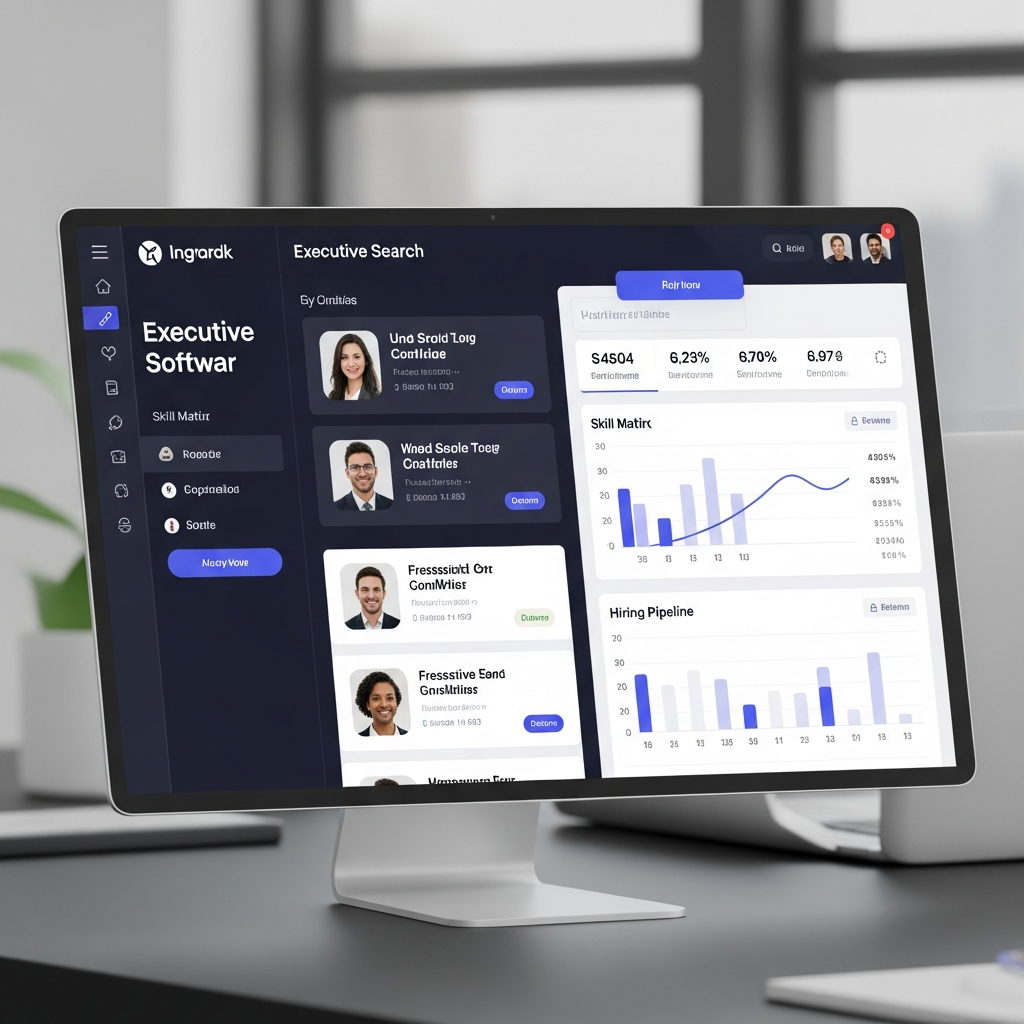
Executive search software is a specialized recruiting platform built for finding, evaluating, nurturing, and presenting senior-level talent. Unlike a basic applicant tracking system, which usually focuses on people who apply for open jobs, this type of software is designed for proactive search. That means recruiters can map markets, identify passive candidates, track long-term relationships, manage confidential searches, and produce polished client-ready reports.
Executive search is different from ordinary recruiting because the best candidates usually are not browsing job boards. They are often already employed, busy, well-networked, and cautious about career moves. A strong platform helps search consultants build target lists, record relationship history, track outreach, compare candidates, manage client feedback, and keep every search moving with structure.
Modern platforms vary widely. Some focus on retained search workflow. Few act as executive recruiting CRMs. Some include sourcing databases, AI matching, outreach automation, reporting, and business development tools. For example, Loxo describes its executive search platform as a talent intelligence system that helps teams discover talent, engage candidates, manage candidates, collaborate with clients, track progress, and grow business. It also promotes features such as AI candidate matching, centralized communications, client collaboration, and contact data access. (Loxo)
Thrive TRM positions itself around leadership talent, relationship management, talent discovery, search management, and insights. Its official site says more than 30,000 executives are hired using Thrive every year and highlights capabilities for mapping talent networks, tracking interactions, ranking candidates, collaborating with hiring teams, and reusing prior research. (Thrive TRM)
In simple terms, executive search software gives recruiters a memory, a process, and a command center. It helps answer questions like: Who have we spoken with before? Which companies should we target? Which candidates are ready now, and which need nurturing? What has the client seen? Who is stuck in assessment? What does the market map show? Without software, those answers are often buried in spreadsheets, email threads, personal notes, or individual consultant memory.
Why Executive Search Needs Specialized Tools
Executive hiring is relationship-heavy, research-heavy, and reputation-sensitive. A recruiter may spend months building a longlist before a client sees a shortlist. A candidate may be contacted years before they are ready to move. A client may ask for competitive intelligence, compensation patterns, diversity progress, market availability, and a clear explanation of why certain leaders were included or excluded.
That is why a generic ATS often falls short. Traditional ATS platforms are built around job applicants, resumes, requisitions, interview stages, and hiring compliance. Executive search work needs all of that and more: market mapping, company research, relationship intelligence, confidential notes, business development tracking, client-facing candidate presentations, and historical search knowledge.
Bullhorn’s Invenias executive search page emphasizes longlist creation, competitor targeting, previous assignment research, executive insights, branded client deliverables, collaboration, efficiency, client transparency, and GDPR compliance. Those points show how executive search software sits at the intersection of recruiting, CRM, research database, reporting tool, and client-service platform. (Bullhorn)
Confidentiality is another major reason specialized software matters. Senior leadership searches may involve succession planning, board changes, confidential replacements, merger-related hiring, or sensitive compensation discussions. Search teams need permission controls, careful data handling, communication tracking, and reliable records. Even one careless email or misplaced spreadsheet can damage trust.
The search process is also nonlinear. A senior candidate may move from “target” to “approached,” then to “not interested,” then back to “warm relationship” six months later. A CEO candidate may not fit one mandate but may be perfect for another. A strong platform preserves that context so the firm does not start from scratch every time.
Core Features of Executive Search Software
The most important feature is a strong candidate and client CRM. Executive search is built on relationships, not just applications. A good CRM stores contact history, notes, career movement, compensation details, industry expertise, board experience, leadership strengths, referral relationships, and previous search involvement. Over time, this becomes one of a firm’s most valuable assets.
The second key feature is market mapping. Search teams need to identify target companies, org charts, competitors, possible successors, functional leaders, and rising executives. Market mapping helps recruiters move beyond “who applied?” and answer “who exists in the market?” This is especially important for C-suite, board, VP, partner, and niche leadership searches.
The third feature is pipeline and assignment management. Executive searches have many stages: research, target list creation, outreach, interest check, qualification, assessment, client presentation, interview, referencing, offer, and placement. Software should make it easy to see where each candidate stands, what needs to happen next, and who owns each task.
The fourth feature is client collaboration. Clients want visibility, but recruiters also need control. A good platform allows firms to share selected candidate profiles, progress updates, notes, reports, and feedback without exposing internal research or confidential comments. Loxo, for example, describes client collaboration features that let clients view candidates, leave notes, see assessments, and accept or reject candidates within configured visibility settings. (Loxo)
The fifth feature is reporting and analytics. Search leaders need to understand activity volume, source quality, candidate diversity, conversion rates, time-to-shortlist, client feedback, and placement outcomes. Thrive highlights reporting and analytics for reviewing network makeup, compensation benchmarks, process improvement, and reuse of prior research. (Thrive TRM)
| Feature | Why It Matters |
| Executive CRM | Preserves long-term candidate and client relationships |
| Market mapping | Helps identify passive senior talent across target companies |
| Pipeline management | Keeps complex searches organized |
| Client portals | Improves transparency and feedback |
| Search reports | Shows progress and supports better decisions |
| Outreach tracking | Prevents duplicate or careless communication |
| Business development tools | Helps firms manage prospects and future mandates |
| Permission controls | Protects confidential search information |
Benefits for Search Firms and In-House Leadership Teams
The first major benefit is speed. Executive search will never be instant, but software can shorten the time spent on repetitive research, manual reporting, candidate tracking, and status updates. When old searches, previous candidates, target companies, and relationship notes are searchable, consultants can move faster without cutting corners.
The second benefit is better institutional memory. In many firms, valuable knowledge lives inside individual consultants’ heads. That is risky. If a consultant leaves, retires, or changes practice areas, the firm can lose context. Executive search software turns private knowledge into shared firm intelligence. Prior conversations, client preferences, candidate motivations, and market notes become available to the right people. Pims Software Creates Better Product Data Growth
The third benefit is stronger client experience. Retained clients expect professionalism. They want to see progress, understand the market, review credible shortlists, and feel confident that the search is being handled thoroughly. Software helps recruiters present clean candidate profiles, structured progress reports, and organized market intelligence.
The fourth benefit is relationship nurturing. Senior candidates may not be ready today, but they may be ready next year. A platform with reminders, tags, notes, and engagement history helps recruiters stay connected without sounding random or transactional. This is especially valuable for board candidates, C-suite leaders, investment-backed company executives, and hard-to-find specialists.
The fifth benefit is business development. Many platforms now include sales CRM features because executive search firms must manage prospects, client relationships, proposals, retainers, and repeat business. Ezekia’s official site describes its platform as a system for tracking business development activity, managing assignments, and building candidate relationships in one place. It also highlights browser-based access and supported data migration. (Ezekia)
Executive Search Software vs. Regular Recruiting Software
A regular recruiting platform usually focuses on active hiring. It helps post jobs, collect resumes, track applicants, schedule interviews, and move candidates through a hiring workflow. That is useful, but executive search usually begins before there is an applicant pool.
Executive search software starts with research and relationships. Recruiters may build a target company list, identify relevant leaders, study reporting structures, contact sources, map competitors, and gradually approach candidates. The work is closer to strategic consulting than simple resume collection.
Another difference is the importance of client deliverables. Executive search firms often provide longlists, shortlists, candidate reports, market maps, weekly updates, diversity reports, compensation insights, and final recommendation documents. A basic ATS may not create polished client-ready outputs. A purpose-built platform usually makes reporting and presentation a core part of the workflow.
Data structure is also different. In executive search, one person may be a candidate, source, client, board member, investor, referral partner, and future hiring manager at different times. A rigid ATS may struggle with those overlapping relationships. A strong executive search CRM should capture the full relationship map.
Popular Platform Categories
There is no single best platform for every search team. The right choice depends on firm size, search volume, budget, data needs, workflow complexity, and whether the buyer is a retained search firm, in-house executive hiring team, PE/VC talent partner, or hybrid recruiting organization.
Some platforms emphasize talent intelligence and AI sourcing. These are useful when teams want help identifying candidates, ranking matches, enriching records, and reducing manual research. Loxo is one example of a platform that promotes AI candidate matching, natural language search, talent intelligence, contact information, outreach, CRM, ATS, and client collaboration in one system. (Loxo)
Some platforms emphasize leadership talent relationship management. Thrive TRM is an example, with messaging around talent discovery, search management, relationship management, and insights for in-house teams, venture capital and private equity, and executive search organizations. (Thrive TRM)
Some platforms emphasize traditional executive search operations and CRM discipline. Invenias by Bullhorn is presented as executive search software for managing complex hiring processes, creating longlists, capturing executive insights, sharing branded candidate profiles, improving collaboration, and supporting compliance. (Bullhorn)
Some platforms emphasize cloud-based assignment management and business development. Ezekia describes itself as software for winning and managing more business, tracking BD activity, managing assignments, and building deep candidate relationships. (Ezekia)
The smartest approach is not to pick the platform with the longest feature list. Choose the one that fits your workflow, data model, team habits, reporting expectations, and growth plans.
How to Choose the Right Executive Search Software
Start by defining your search process. Write down how your team handles research, outreach, assessment, client updates, interviews, references, and placements. Then compare platforms against that process. A platform that looks impressive in a demo may fail if it does not match how your consultants actually work.
Next, examine your data. Do you have years of candidate records in spreadsheets? Are contacts duplicated across Outlook, LinkedIn, old CRMs, and personal address books? Do you need to migrate notes, documents, companies, assignments, and client history? Data migration is often the hardest part of implementation, so ask vendors exactly what they support.
Then evaluate reporting. Can the system create the reports your clients expect? Can it produce longlists, shortlists, candidate summaries, market maps, diversity snapshots, weekly progress updates, and business development dashboards? Reports should save time, not create more formatting work.
Also review integrations. Search teams often rely on email, calendars, LinkedIn, sourcing databases, document tools, video interview tools, assessment platforms, and accounting or billing systems. The platform should fit the surrounding tech stack.
Security and permissions matter too. Ask whether the system supports role-based access, confidential assignments, audit history, data export, consent tracking, and regional privacy requirements. This is especially important for firms working across Europe, North America, and global markets.
| Buying Question | Why It Matters |
| Does it support retained search workflows? | Prevents forcing executive search into a basic ATS |
| Can it map companies and relationships? | Helps with passive candidate research |
| Are client reports easy to create? | Saves consultant and research time |
| Does it integrate with email and calendar tools? | Improves adoption |
| Can permissions be customized? | Protects confidential searches |
| Is data migration supported? | Reduces implementation risk |
| Does pricing scale sensibly? | Avoids surprise costs |
| Can the team actually use it daily? | Determines ROI |
Common Mistakes to Avoid
One common mistake is buying for features instead of workflow. A long feature list is not useful if consultants do not use the system. Adoption matters more than novelty.
Another mistake is underestimating data cleanup. If old records are messy, duplicate-heavy, or incomplete, importing them into a new platform can create confusion. Clean data before migration whenever possible.
A third mistake is ignoring reporting. Executive search clients judge professionalism partly by communication quality. If your software cannot help produce clear reports, your team may keep using manual spreadsheets and slide decks.
A fourth mistake is treating implementation as an IT project only. Executive search software affects consultants, researchers, partners, operations teams, and sometimes clients. The rollout should include workflow decisions, training, data standards, naming conventions, and accountability.
Finally, avoid choosing software only for today’s firm size. A boutique search firm may need something simple now, but if it plans to expand practice areas, add researchers, or serve larger clients, scalability matters.
Conclusion
executive search software helps search professionals work with more structure, speed, and confidence. It centralizes candidate relationships, client history, market intelligence, assignments, outreach, reporting, and business development in one place. For retained search firms and leadership hiring teams, that can mean stronger shortlists, cleaner communication, better client trust, and more value from every relationship built over time.
The best platform is not simply the newest or most expensive option. It is the one that fits your search process, protects your data, supports your client experience, and helps your team turn research into successful executive placements. Before buying, map your workflow, audit your data, test reporting, check integrations, and make sure consultants will actually use the system every day. A well-chosen platform does more than organize searches; it becomes the operating system for leadership hiring.

